
Skip the Daily Hassle.
With subscription parking, you never have to worry about parking in the same place regularly.
Choose monthly, quarterly or longer-term options for the location you use most, and get on with your day.
Make regular parking easier
If you park at the same location regularly, Subscription Parking means you set it up once, and it’s done. No arranging or paying for a space each visit.
Choose monthly, quarterly or longer-term, and manage it all through the Evology Parking app.
Ideal if you commute or work fixed hours at the same place.
Why choose Subscription Parking?
Parking that fits your routine
If you park in the same place regularly, a subscription means one less thing to sort out, no arranging or paying for a new session every time you visit.
Choose the plan that works for you
Select from monthly, quarterly or longer-term options, whichever suits how long you need parking for.
Everything in the Evology app
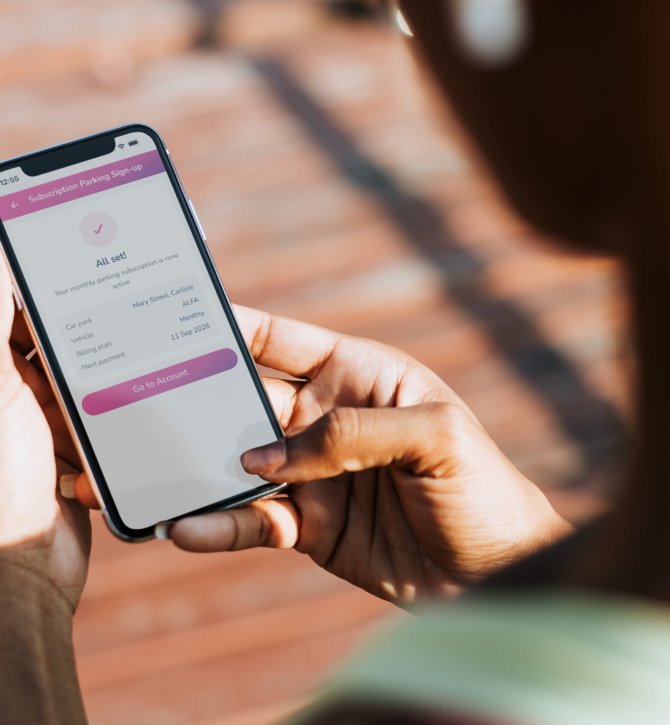
Find your location, choose your subscription, add your vehicle and complete everything from your phone.
Covered for the whole term
Your parking is arranged for every day of your subscription, from the day it starts to the day it ends, with no gaps and nothing to re-book along the way.
How Subscription Parking works
Getting started is simple.
-
Download the Evology Parking app
Download the app and create or sign in to your Evology account.
-
Find your regular car park
Search for the location where you want to park and check whether Subscription Parking is available.
-
Choose your subscription
Select the available monthly, quarterly or longer-term option that best suits your routine.
-
Add your vehicle
Choose the vehicle you will be using for your subscription and check your registration details are correct.
-
Pay in the app
Review your subscription and complete your payment securely in the Evology Parking app.
-
Start using your subscription
Once confirmed, view your subscription details in the app and park at your selected location in line with the subscription terms.
Find Subscription Parking near you
Subscription Parking is available at selected Evology car parks.
The easiest way to check availability is through the Evology Parking app. Search your preferred location and see what subscription options are on offer there.
We’re adding new locations all the time, so if yours isn’t listed yet, it’s worth checking back.
Common questions
-
What is Evology Subscription Parking?
Subscription Parking lets individual drivers arrange ongoing parking at a selected Evology car park for a set subscription period, instead of paying separately every time they visit. It is purchased and managed through the Evology Parking app.
-
Is Subscription Parking available at every Evology car park?
Download or open the Evology Parking app, sign in to your account and search for the car park you want to use. If Subscription Parking is available at that location, you can select a subscription, add your vehicle details and complete your purchase in the app.
-
How long does a parking subscription last?
Subscription periods start from monthly options, with quarterly and longer-term plans available at selected locations. The exact options for your car park will be shown in the Evology Parking app.
-
How is Subscription Parking different from Pre-booking?
Pre-booking is for a specific parking visit on a particular date or over a defined short period. Subscription Parking is for drivers who regularly use the same car park and want an ongoing parking arrangement for a month, quarter or longer.
-
Can I change the vehicle linked to my subscription?
Where vehicle changes are supported, you can update the vehicle linked to your subscription through the Evology Parking app. Always make sure the correct vehicle registration is linked before you park.
-
Where can I see my subscription details?
Your subscription information, including your selected car park, linked vehicle and subscription dates, can be viewed in the Evology Parking app.
-
What happens when my subscription reaches its end date?
Your subscription is valid until the end date shown in the app. Check your subscription details before it ends to see the options available for continuing your regular parking.
-
Can I use my subscription at another car park?
Your subscription is linked to the car park selected when you purchase it. Check your subscription details in the app before parking.
-
What if I need help with my subscription?
If you need help with your subscription or the Evology Parking app, use the Evology help and contact options and our team will help you get things sorted.